In newer Android devices it becoming standard for the default mail application to not be present and instead to be replaced by the Gmail App.
The is not a problem as Register Doman provides internet-based mail accounts that can be configured on your application of choice.
The below guide will take you through setting your custom mailbox up one such application known as Gmail.
Before proceeding it is important to note the following:
i.) The Gmail phone app is a static application that will support 3rd party mailboxes, however, this is not the case when using Gmail through a web browser.
To access your mailbox through Gmail in a web browser you will require additional Google licensing (Paid Google service), for those who prefer a web-based interface we would advise making use of your webmail application that can be accessed via yourdomain.africa/webmail
ii.) During this setup you will be prompted to set up your account as IMAP or POP3, while we strongly advise IMAP setup for a Smartphone, you can see the differences at IMAPvsPOP3.
The steps to configure your mailbox are as follows:
1.) Open your Gmail application on your Smartphone
2.) Select the circular icon to the top-right hand corner of Gmail
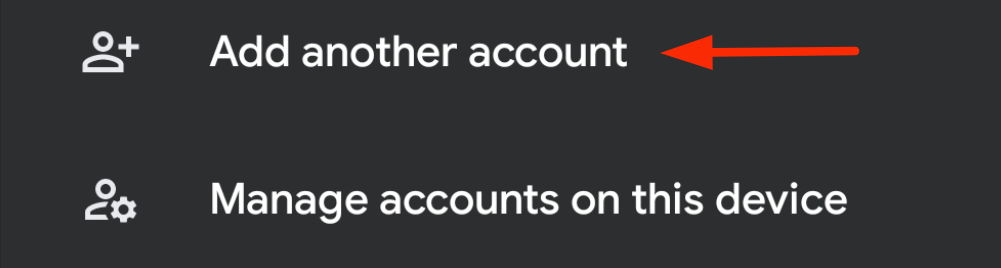
3.) Click on "Add another Account"
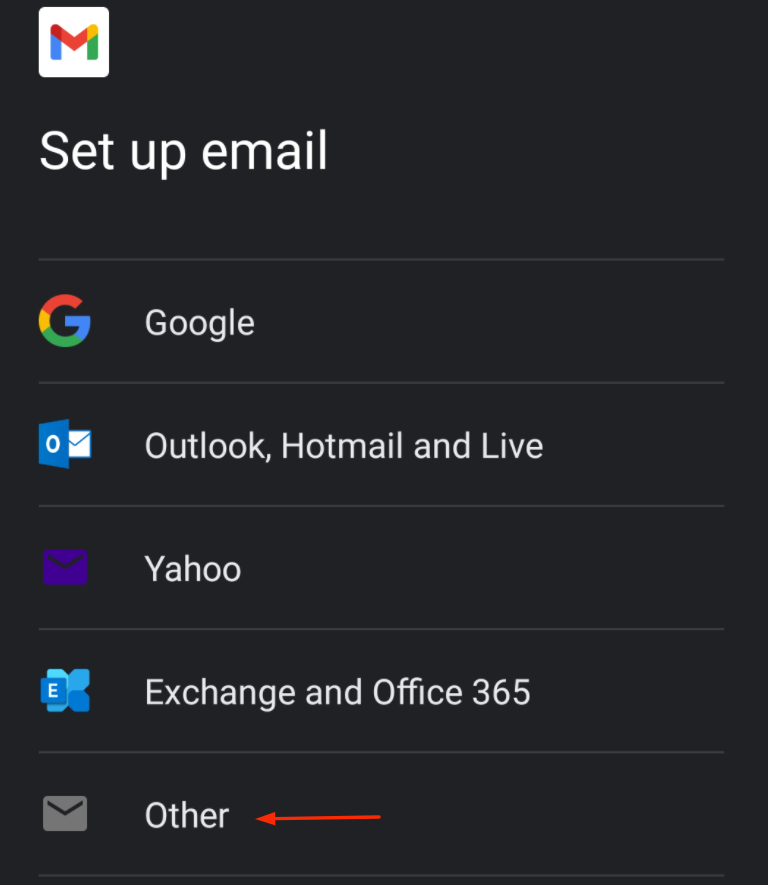
4.) On the "Set up email" screen choose "Other"
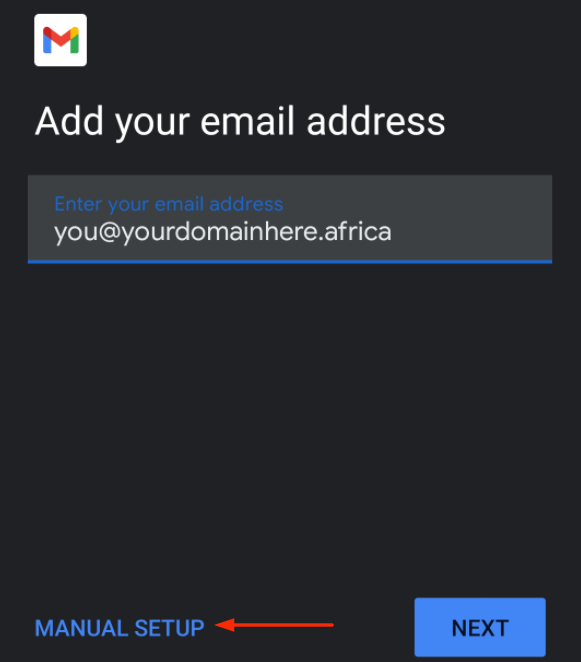
5.) Enter your email address and select "Manual Setup"
6.) Choose your account type
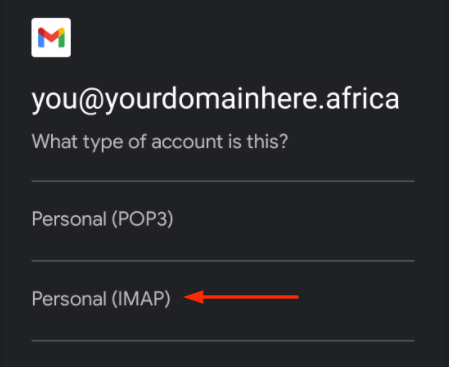
We would strongly advise choosing an IMAP set-up, POP accounts only store mail on the local device and not the server.
Therefore choosing a POP setup could lead to possible mail loss should the smartphone become corrupted.
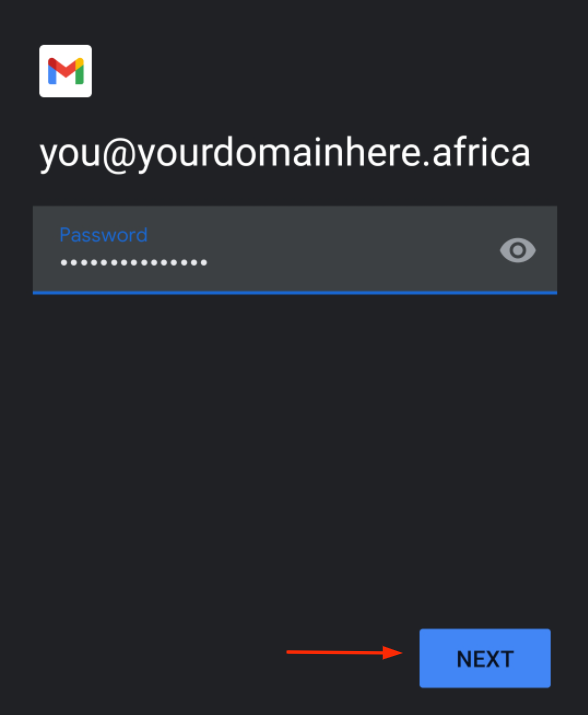
7.)Enter your Email Address Password and select "Next"
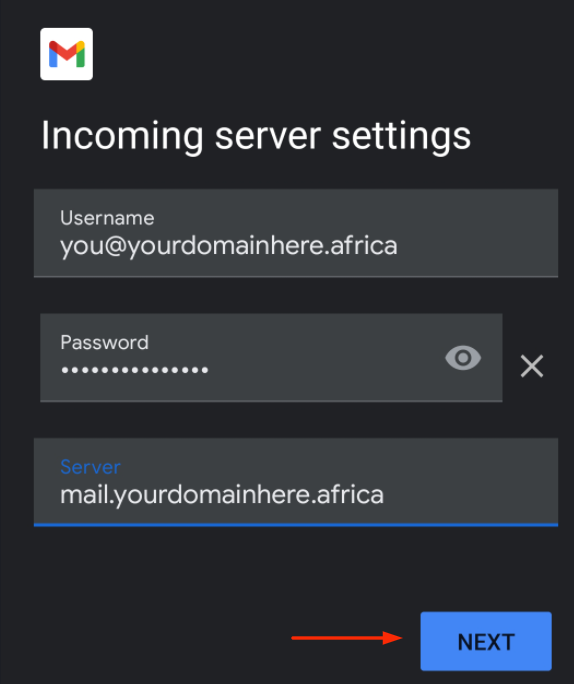
8.) Under incoming server settings, replicate the following:
i.)Username: you@yourdomainhere.africa
ii.)Password: ********
iii.)Server: mail.yourdomainhere.africa
Click "Next"
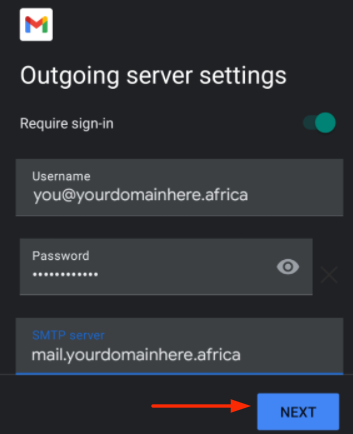
9.) On the Outgoing server recreate the following settings"
i.)Username: you@yourdomainhere.africa
ii.)Password: ********
iii.)Server: mail.yourdomainhere.africa
Select "Next"
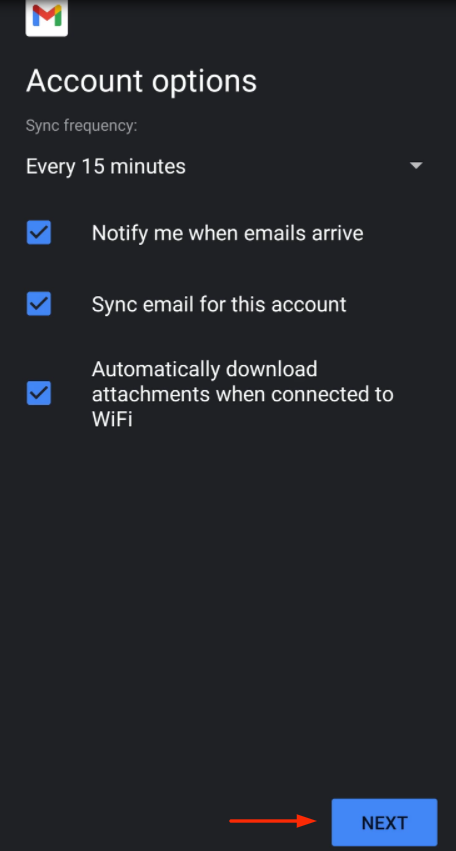
10.) On the "Account Option" page you can leave all settings as default and lastly select "Next"