Note - It is crucial to know which database references your website ( See 6.1. - Find database for further guidance)
2.1.)Select phpMyAdmin
- Scroll to the database section and select "phpMyAdmin"

2.2.) Find the corresponding database
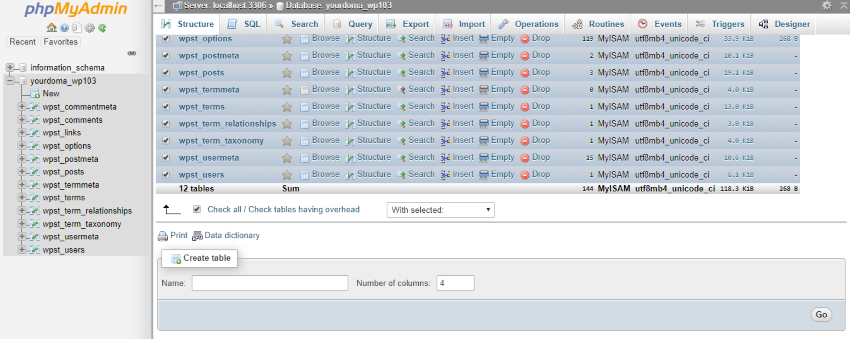
- Now select the database that corresponds with your website files and click "Check All"
2.3.) Export MySQL database
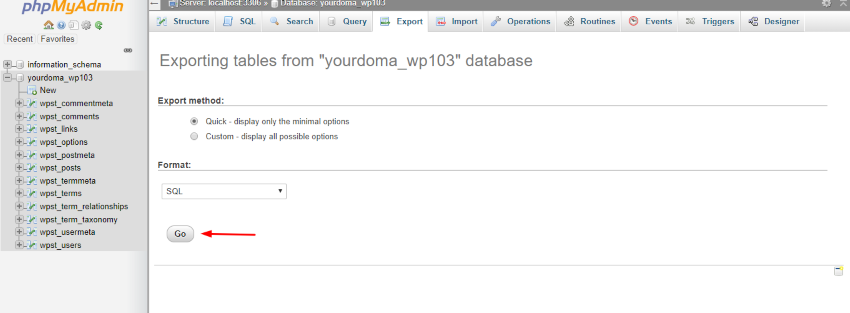
- Navigate to the "Export" tab
- Specify "Quick" export with SQL format
- Then click "Go"