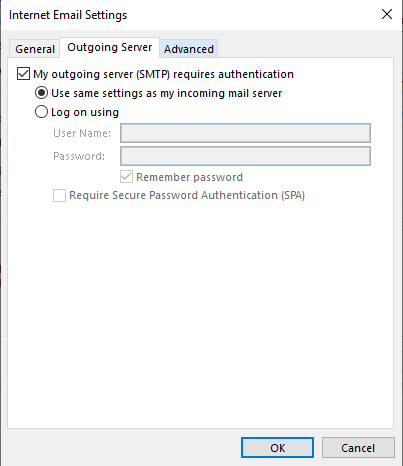
4.1.) In Outlook
- Click on the "File" tab
- Choose the "Account Settings" tab
- Select "Manage Profiles"
- Locate the email address in question and select "Repair"
- Select "Manual setup and additional server types"
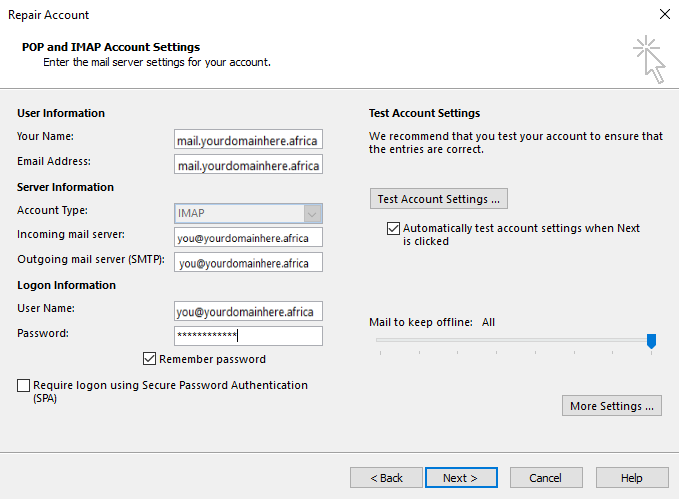
4.2.) Mimic the below settings
4.3.) Click on "Next" and navigate to the "Advanced tab", copy the settings as follows